
Bytecly journal
Beyond Chatbots: How AI and Large Language Models Are Transforming Modern Software
Explore AI software development beyond chatbots: practical LLM integration, AI agents, business automation and AI-powered SaaS, with engineering trade-offs.
- Artificial Intelligence
- Software Engineering
- LLMs
- AI Integration
- AI-powered SaaS

Chatbots made generative AI visible. For many businesses, they were the first opportunity to ask software a question in ordinary language and receive a useful answer. But a conversation window is only one way to use that capability.
The wider opportunity in AI software development is to put language capabilities inside the tools people already use: finding relevant information, turning documents into usable records, preparing work for approval and helping customers complete tasks. The value comes from what happens after the response: a better decision, a checked record or a completed step in a business process.
For founders and engineering teams, the question is where these capabilities improve a product or workflow enough to justify their cost and complexity.
AI, machine learning and large language models
Artificial intelligence is a broad field. Machine learning is one approach within it, using patterns learned from data rather than relying only on explicitly written rules. Large language models are a family of machine learning models built to work with language.
A language model estimates likely sequences of tokens, the pieces into which text is divided. That supports tasks including generation, translation and summarisation. Hugging Face's guide to transformer language models explains these foundations.
This distinction matters when choosing a solution. A language model may help interpret a customer request, while ordinary code calculates a total, checks an account permission or applies a pricing rule. Forecasting demand or detecting unusual transactions may call for other machine learning methods. Adding an LLM is a design choice tied to a specific task.
Four practical uses beyond the chat window
The strongest starting points are often small features with a clear input, a useful output and a way to check whether they worked.
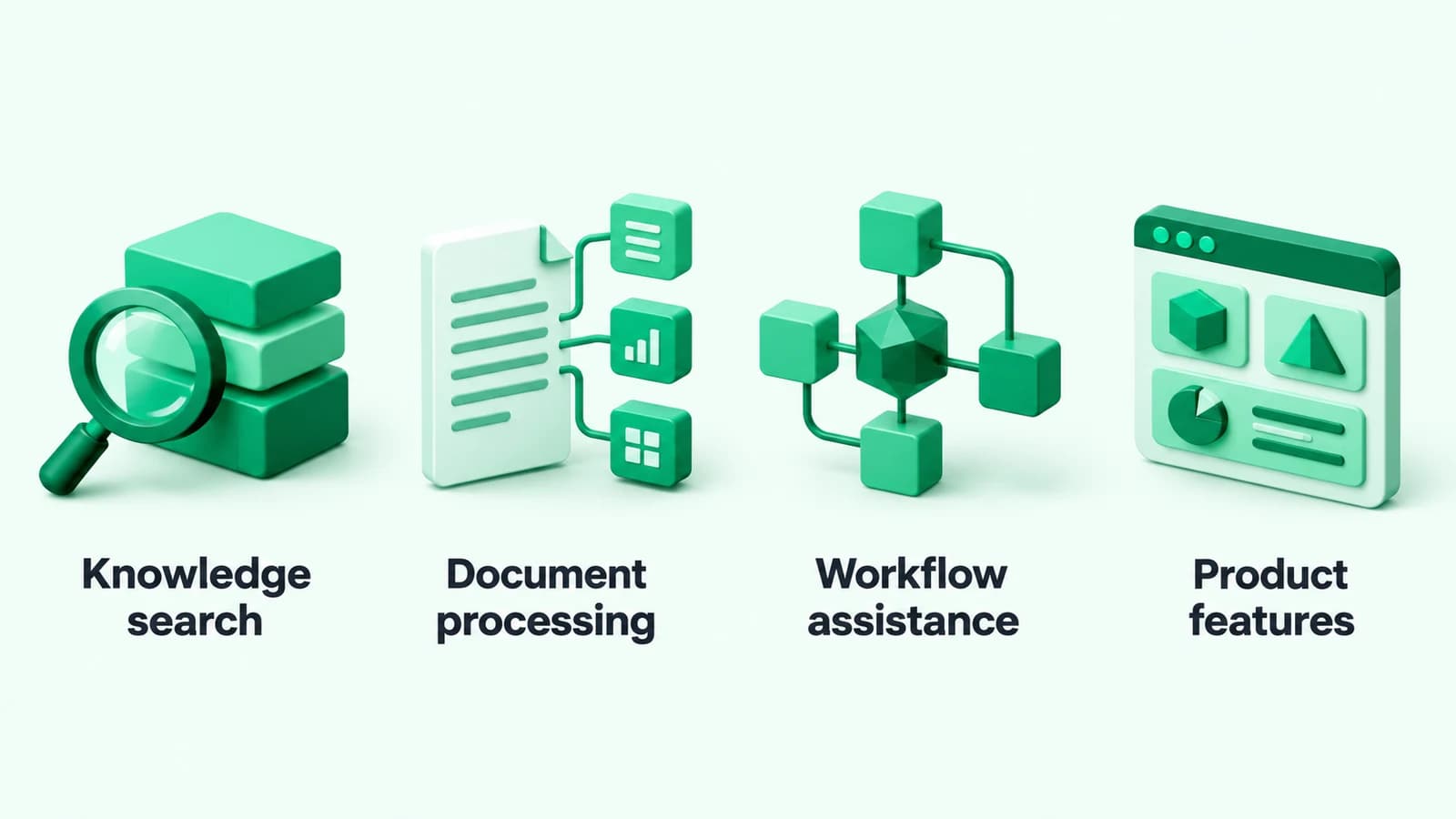
Knowledge search
An internal search feature could help an employee find an answer across approved product documents, procedures and support articles. It might return a short explanation alongside the original sources, reducing the need to open and compare several documents manually.
The search still needs permission checks and maintained source material. A helpful answer must not reveal a document the employee cannot otherwise access.
Document processing
An application could extract proposed fields from an incoming request, classify a document or summarise a long handover. The interface can show each proposed value beside its source so a person can check it before it becomes an official record.
For example, a supplier reference should be matched against actual supplier records. Producing text in the expected format does not establish that the reference exists or belongs to the right account.
Workflow assistance
AI business automation can help where a process begins with variable language: emails, notes, descriptions or attachments. A model might identify the request type and prepare a suggested next step; the surrounding application decides which actions are permitted.
Hypothetical example: a service company receives maintenance requests in different formats. An assistant proposes a category, extracts the equipment reference and prepares a job summary. A coordinator checks the details before the existing scheduling system creates the job.
Product features inside SaaS
An AI-powered SaaS product can offer a report summary, a draft description or help finding a relevant setting directly inside the customer's current task. A separate chatbot may add little if a contextual button or editable suggestion serves the user better.
Make the result easy to inspect, correct and dismiss. A feature earns its place when it helps someone finish their work.
What an LLM integration actually needs
A prototype can send a prompt and display a response. A dependable product also needs to control the information it sends, the operations it allows and what happens when the answer is unusable.
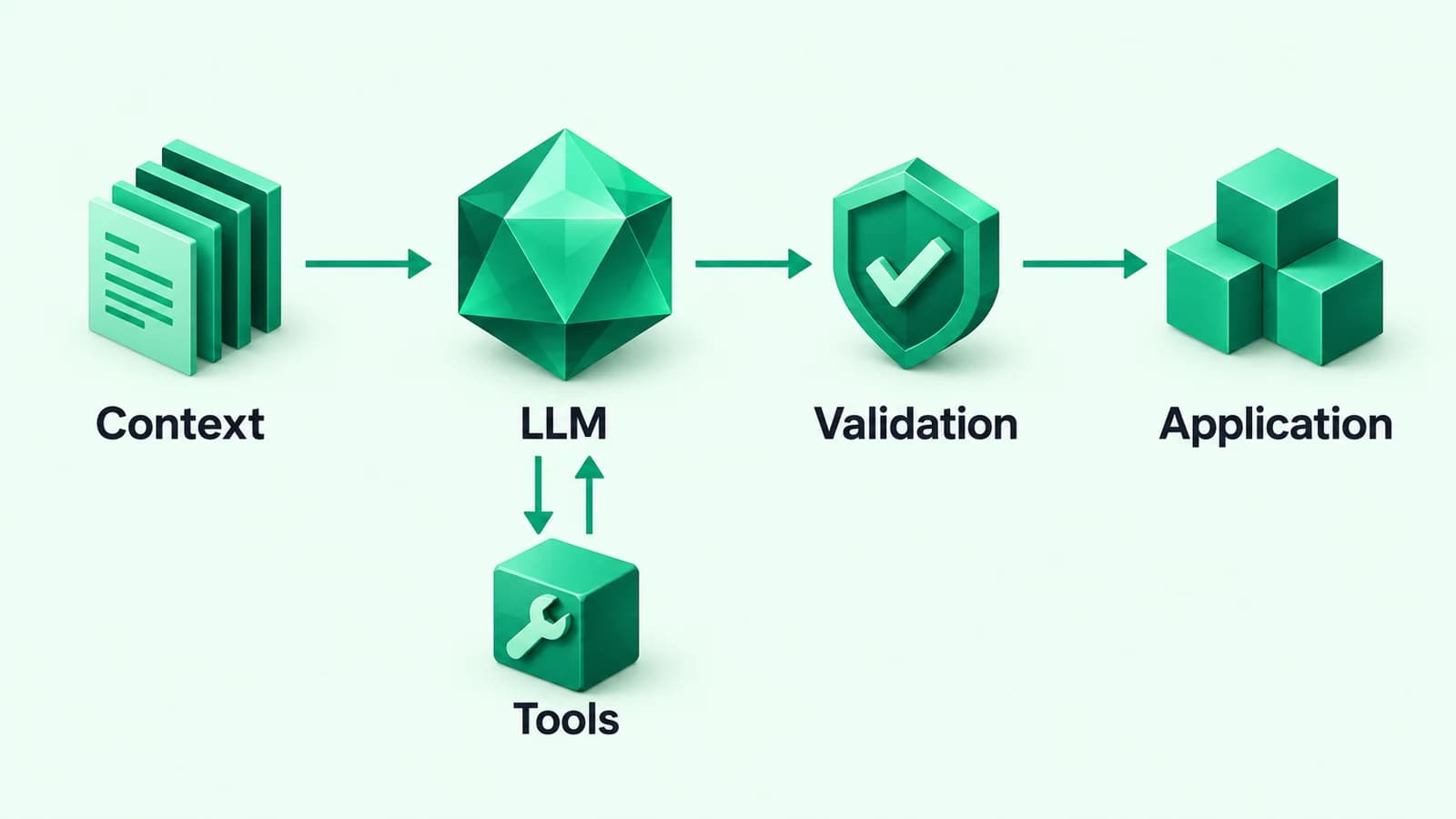
Relevant context
Connecting a model API does not automatically give it access to your current catalogue, customer records or internal procedures. The application must deliberately supply relevant information.
Retrieval-augmented generation, or RAG, retrieves material from external sources and provides it as context for a model's response. Microsoft's RAG overview describes this approach. It can make business information available without retraining the model for each document change. The retrieved material and the resulting answer still need evaluation.
Before introducing a complex retrieval system, check whether a small, well-maintained set of documents or a direct database lookup covers the task. Choose the simplest approach that works with the information's volume, freshness and permissions.
Controlled tools
Some features need to look up a record or propose an action through a connected tool. The application should expose narrow operations with clear inputs and enforce permissions when each operation runs.
For example, a tool that retrieves one authorised order is easier to constrain than unrestricted database access. The model can request an operation; application code decides whether that request is valid and allowed.
Validation and recovery
Check required fields, allowed values and business rules before using generated output. Decide what the interface shows when the model is unavailable, takes too long or cannot produce a usable answer.
Preserve the user's work and provide a manual route where practical. A failed suggestion should not prevent someone from completing an otherwise straightforward task.
Where AI agents fit
An LLM feature does not always need to be an agent. One request followed by a checked response may be enough for summarisation or classification.
AI agents add a different pattern: a model selects tools or next steps as a task progresses, using results to guide what happens next. That flexibility can help with variable tasks, but it also introduces more behaviour to test and control. Define the permitted operations, stopping conditions and points where someone must approve an action.
Our follow-up, AI Agents vs. Traditional Automation, explores how to choose between a fixed workflow, an AI-assisted step and an agent.
AI also changes how software is developed
AI software development has another meaning: using AI tools during engineering. Teams can use them to explore unfamiliar code, prepare documentation, suggest tests or draft an implementation.
Those outputs need the same review as other proposed changes. Developers still need to understand the requirements, check dependencies, protect sensitive information and verify behaviour. A plausible implementation can misunderstand a business rule or fail on an important edge case.
Keep product decisions and acceptance criteria explicit. Faster drafting is useful when the team can reliably establish whether the result is correct.
Reliability and security belong in the design
Fluent language can make an incorrect answer look convincing. Test realistic examples, including incomplete requests, conflicting documents and situations where the feature should ask for clarification or decline to answer.
External text also needs careful handling. A document or message can contain instructions that attempt to redirect a model. OWASP's prompt injection guidance describes this risk. Treat retrieved material as untrusted input, enforce access outside the model and require approval for consequential actions. A prompt alone is not an access-control system.
Separately, decide which information the feature needs, what reaches a provider and what appears in logs. Review the provider's applicable data handling terms before connecting business or customer information.
A practical starting point for your business
Start with a task people can describe and judge clearly. Before building, agree on:
- The current problem. Which step takes time or produces avoidable rework?
- The available information. Is it accurate, accessible and permitted for this use?
- The acceptable result. What must be correct, and what can a person edit?
- The boundaries. Which actions need approval, and when should the system stop?
- The operating cost. Include model use, integrations, monitoring, review and maintenance.
Measure a small pilot against the existing process. Look at completed work, corrections and total effort, including the time spent checking suggestions. Expand only when the evidence supports it.
Put AI where it improves the work
The useful foundation is a clear workflow, suitable data and software that remains understandable when something goes wrong. From there, AI can become a focused capability within a product or internal system.
Explore Bytecly's AI solutions, SaaS development and workflow automation services. Projects follow our discover, design, build, launch and improve process.
To discuss a specific opportunity, Arrange a discovery call and tell us which product or process you want to improve.
See our Privacy Notice for how we handle what you send us.