
Bytecly journal
Custom Software vs Off-the-Shelf: How to Choose
Custom software or an off-the-shelf tool? A practical guide for growing businesses: when each fits, the costs to compare, and questions to ask first.
- Custom software
- Build vs buy
- Operations

Most growing businesses reach a point where the tools that got them started stop fitting the way they work. Orders arrive by email, stock lives in a spreadsheet, and the same customer details are typed into three places. The obvious question follows: should you buy another off-the-shelf tool, or have software built around how your business runs?
There is no single right answer. This guide sets out how to think about the choice, what each option is good at, and the signs that point one way or the other.
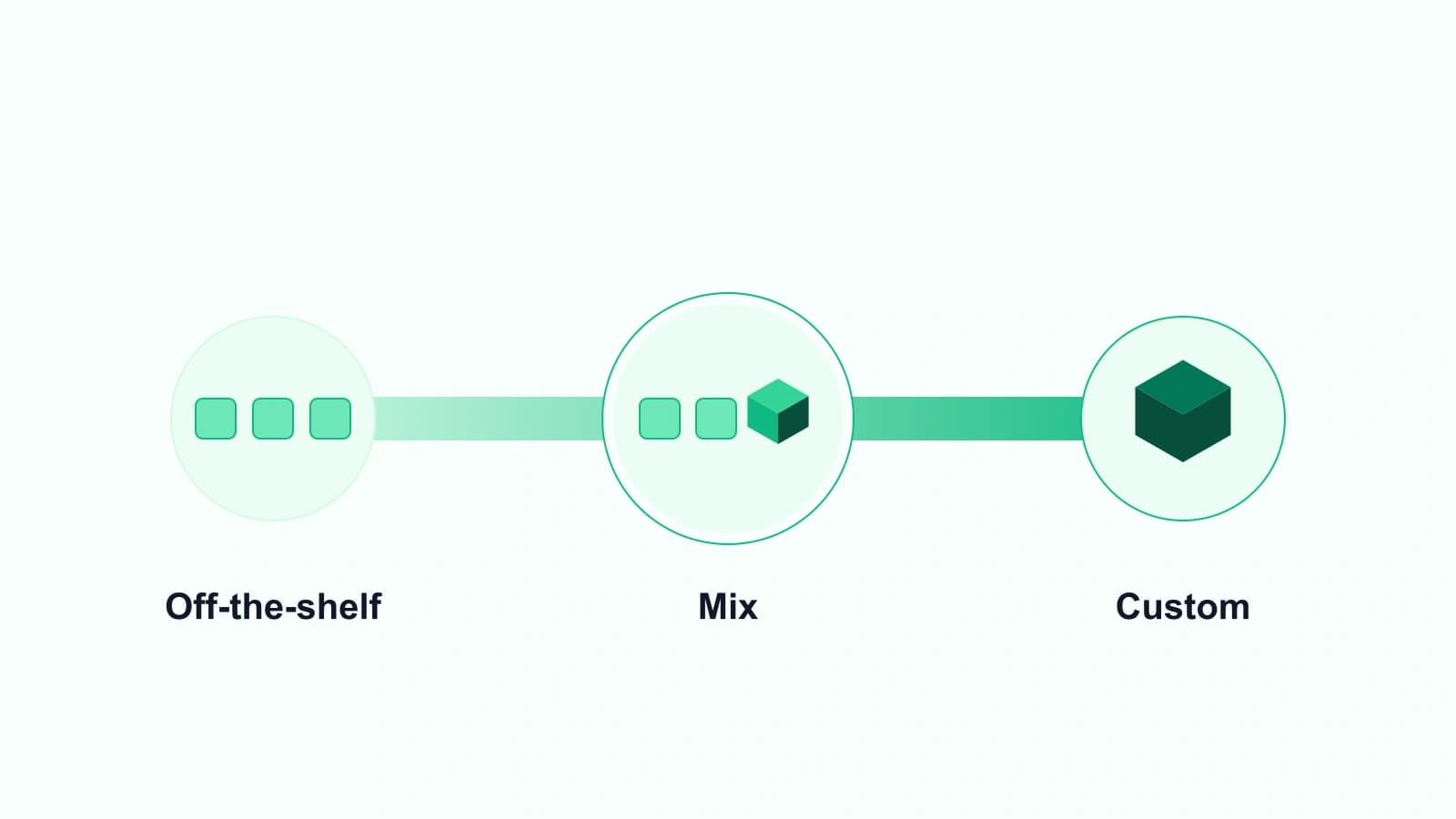
What "off-the-shelf" and "custom" actually mean
Off-the-shelf software
Off-the-shelf software is a ready-made product sold to many businesses: an accounting package, an e-shop platform, a CRM, a task manager. You subscribe or buy a licence, configure the settings it offers, and start using it. The vendor decides what the product does next.
Custom software
Custom software is designed and built for one business's processes. It can be a small internal tool, a customer portal or a complete operations system. It follows the steps your business needs and can change when those processes change.
The option in between
Many businesses do not need to choose one side. A common path is to keep the off-the-shelf tools that work well, such as accounting or the e-shop, and add custom software only where the gaps are: the approvals, handoffs and reports that people currently handle by hand. Bytecly aims to design software around the tools a business already uses, and to connect to them where those systems provide an API or export and their terms allow it.
When off-the-shelf is the better choice
Off-the-shelf software is often the sensible default. It usually makes sense when:
- The process is standard. Payroll, bookkeeping and email follow rules that are much the same from one business to the next, so a mature product already covers them.
- You need it working now. A ready-made tool can often be set up faster than new software can be designed and built.
- The tool fits once configured. If the settings, fields and integrations a product offers already match your workflow, building something new adds cost without adding much.
- Nobody needs to own the upkeep. The vendor usually handles hosting, updates and security patches.
If a well-known product does what you need with light configuration, start there.
When custom software is worth considering
Custom software earns its place when the way you work is part of what makes the business run well, and the available tools force you to work around them. Signs to watch for:
- Spreadsheets are holding the process together. When a shared spreadsheet is the real system for orders, stock, jobs or approvals, with formulas only one person understands, the process has outgrown it.
- The same data is entered more than once. Re-typing orders from email into the ERP, or copying job details from one tool to another, is slow and invites mistakes.
- Workarounds keep growing. Exports, imports, copy-paste steps and steps that only one person knows how to do are signs that the tools do not match the workflow.
- Several tools each cover part of the job. A business can end up paying for overlapping products while still filling the gaps by hand.
- You need something no product offers. A portal where business customers check order status, or one view of jobs across several locations, may simply not exist in a form that fits.
Illustration, not a client project: a trade supplier takes orders by phone and email, keys them into its ERP, then updates a stock spreadsheet for the warehouse. A small custom order tool, connected to the ERP, could capture each order once and keep the warehouse view in step.
Questions to ask before you decide
Before choosing, write down honest answers to these questions:
- Which step causes the most manual work today? Be specific: who does it, how often, and what goes wrong.
- Does a tool you already pay for cover it? Check the features and integrations you are not using yet.
- Is the process stable or still changing? Custom software suits a process you understand well. If the process is still being worked out, a lighter tool may be the better first step.
- What has to connect? List the systems involved, such as the ERP, accounting software, e-shop and spreadsheets, and whether each allows connections through an API, exports or another method.
- Who will own it after launch? Custom software needs support and updates. Ask how that will work before anything is built.
How to compare the real costs
Comparing a monthly subscription with a one-off build price is misleading. A fairer comparison looks at the whole picture:
Costs that are easy to miss with off-the-shelf tools
- Subscription fees that grow with users, locations or volume.
- Time spent on workarounds, re-entry and checking.
- Extra tools bought to cover gaps.
- The cost of changing your process to fit the product.
Costs that are easy to miss with custom software
- Discovery and design time before anything is built.
- Support, hosting and improvements after launch.
- Changes when connected systems update.
Ask any supplier for a proposal that sets out scope, timeline and investment clearly, and make sure source code ownership is agreed in writing. Bytecly covers these points in its FAQ.
A practical way to start
You do not need to replace everything at once. A measured approach tends to work better:
- Map the current process. Follow one order, job or request from start to finish and note every tool and hand-off.
- Pick the most painful step. Choose one bottleneck rather than the whole operation.
- Decide per step. For each step, ask whether an existing tool can cover it, whether configuration or an integration would do, or whether it needs custom software.
- Build small, then improve. Start with a focused tool, use it, and improve it as you learn.
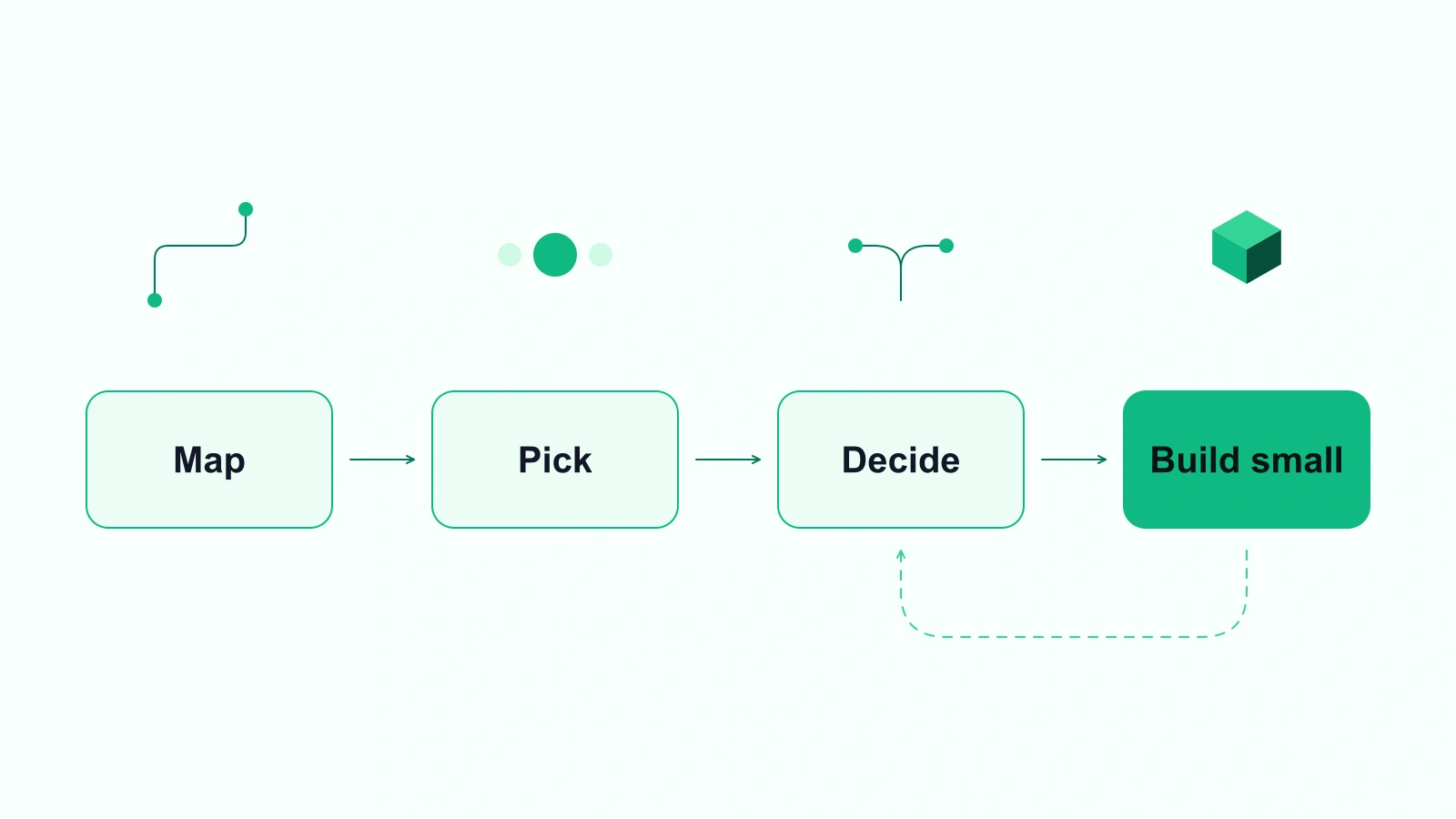
This is the thinking behind Bytecly's five-step process: discover, design, build, launch and improve.
Better systems, not another website
If the tools you rely on no longer fit the way your business works, the answer is rarely another website. It is usually a better system: custom business software designed around your operations, or workflow automation and integrations to connect the tools you already use.
To talk through your situation, email hello@bytecly.com with a short note about what you want to build or improve, and we will arrange a discovery call by email.
See our Privacy Notice for how we handle what you send us.
This article is general information, not professional, legal or tax advice.